

I’ve seen pictures lately of people out hiking with a Starlink attached to their backpack and I’ve wondered, does that really work? It seems like the angle would be all wrong and trees would be in the way. The Starlink Mini is designed to sit flat on a surface with a clear view of the sky—strapping it to your back and walking under trees feels like it shouldn’t work at all. So I decided to try it out.
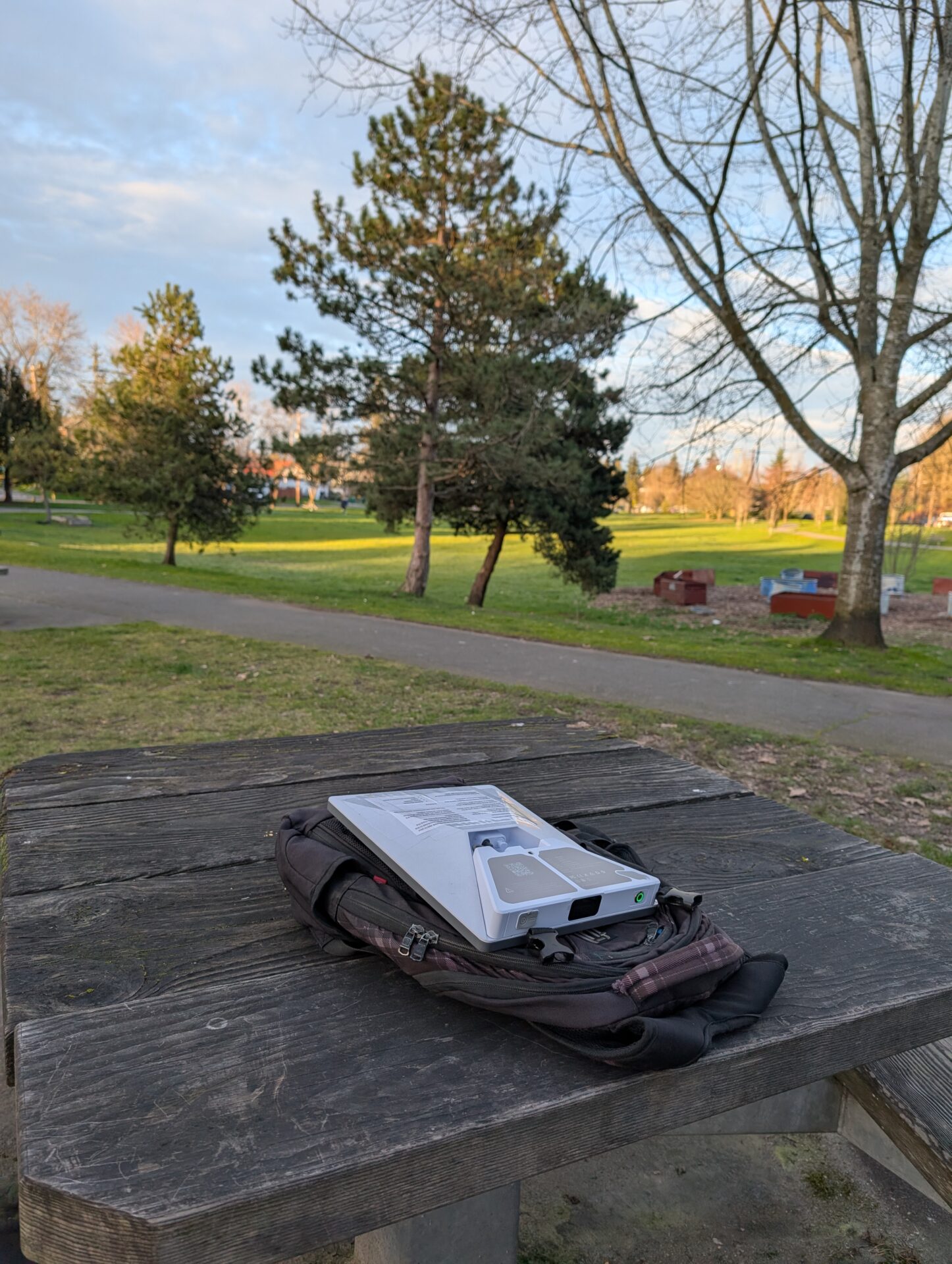
I set out for a walk around my Seattle neighborhood around 4 o’clock on a Wednesday. For power, I used a battery that Peakdo sent me to review. It connects directly to the Starlink Mini’s DC input, and the whole setup fits pretty easily into the outside pocket of a backpack. The Peakdo battery sits snugly underneath the Starlink—it’s a clean fit, and you don’t need any extra cables dangling around.
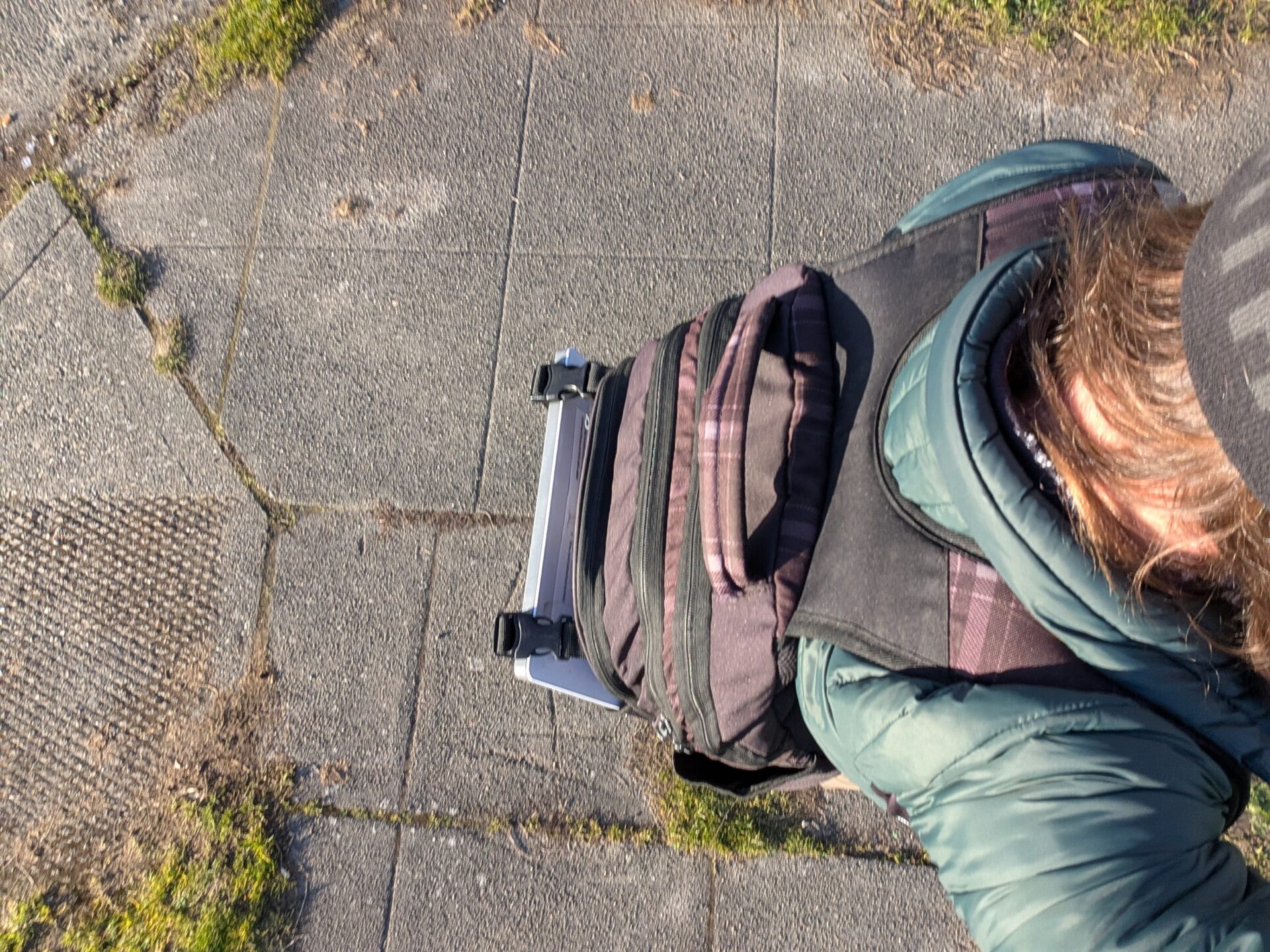
That said, it’s not a perfect setup. Notice there’s some mesh, straps, and zippers partially covering the dish. I wasn’t sure how much that would matter—the Starlink needs a clear view of the sky to communicate with the satellites, and here it’s got fabric and buckles in the way. Plus, it’s sitting in the pocket at roughly a 90-degree angle from where it would normally be pointed. Not exactly ideal conditions.

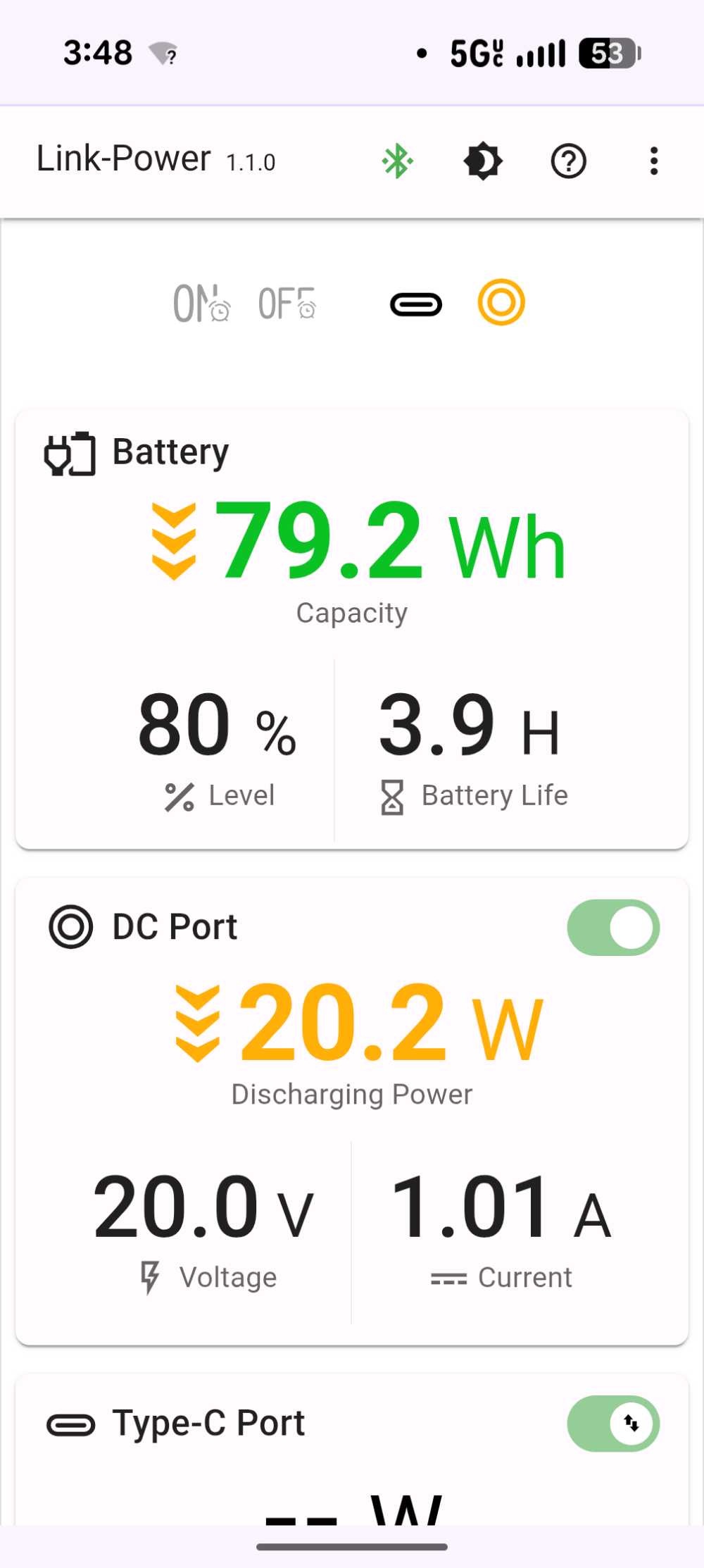
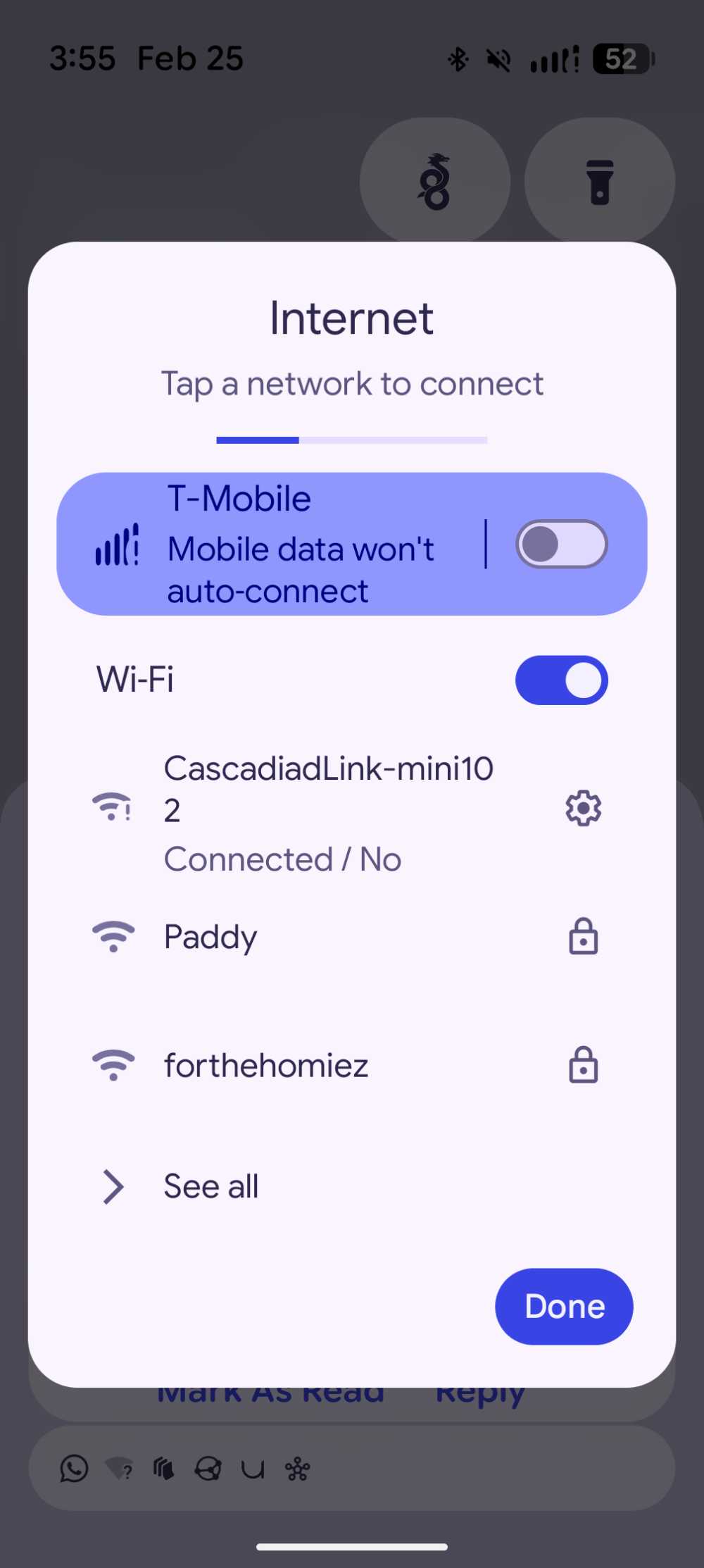
Before heading out, I opened the Peakdo app to check my starting battery level: 80%, with the Starlink drawing about 20 watts, which is typical. I also turned off my mobile data and connected to the Starlink’s WiFi network so I could be sure any data I used was coming through the satellite connection and not my phone’s cell service.
And with that, I headed out. At first, as I wandered the neighborhood streets, I was disappointed. There was no connection at all. The Starlink app showed it searching for satellites but never locking on. I walked for probably 20 minutes through residential streets lined with trees, and the whole time—nothing. I was starting to think this experiment was going to be a bust.
But then I wandered into a neighborhood park and sat down at a picnic table for a while. I kept the Starlink in my backpack, on my back. Not only did the connection work—it worked really well.
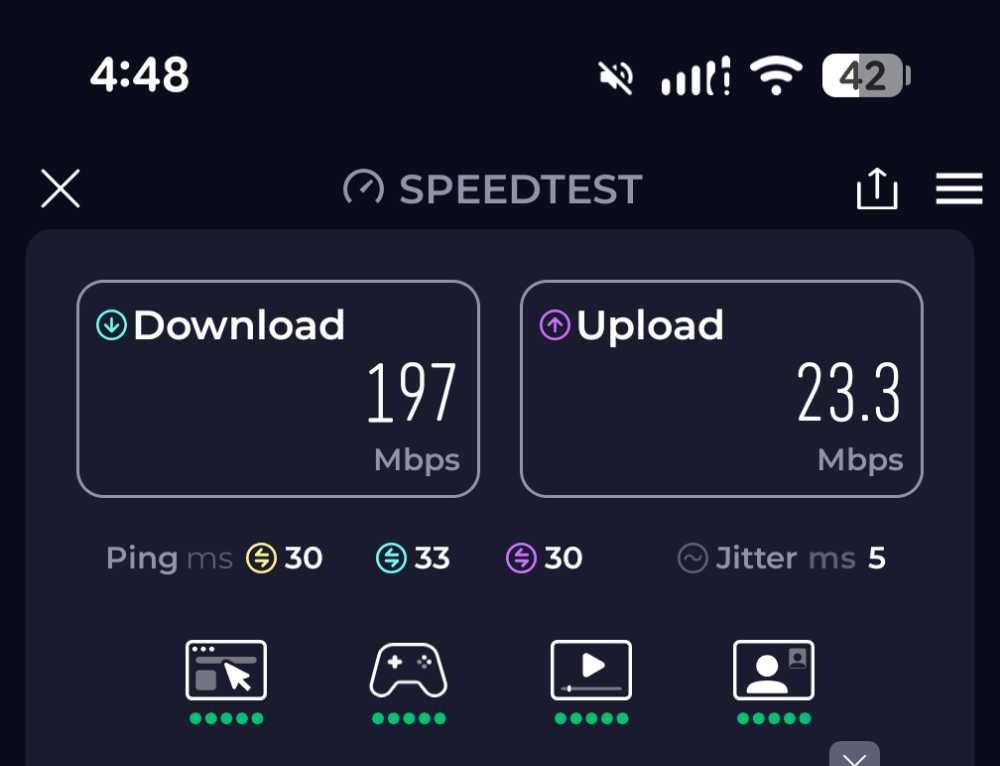
Here’s the speed test: 197 Mbps down and 23 Mbps up. That’s with the dish still in my backpack, still partially covered by mesh and straps, pointed horizontally–not towards the sky! I was genuinely surprised. That’s faster than a lot of people’s home internet.
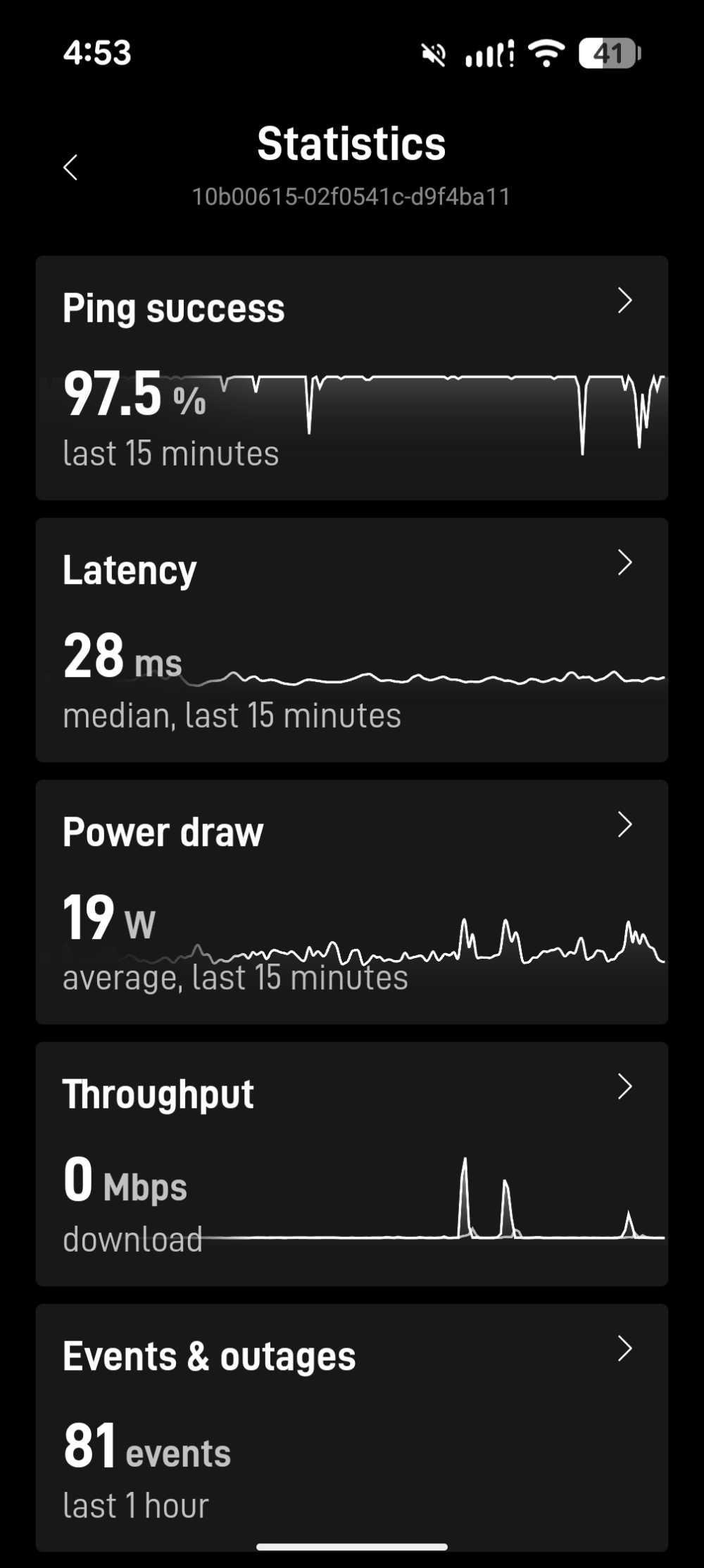
While I was wearing the backpack and walking around, I checked the Starlink app. The ping success rate was 97.5%, with just a few notable dropouts visible in the graph. You wouldn’t want to do a video call like this—those brief drops would cause freezes and audio glitches—but for almost any other purpose, that’s a solid internet connection. Web browsing, streaming, even downloading large files would all work fine.
When I set the backpack down on the picnic table with the dish pointed straight up, I got 100% ping success—no dropouts at all.

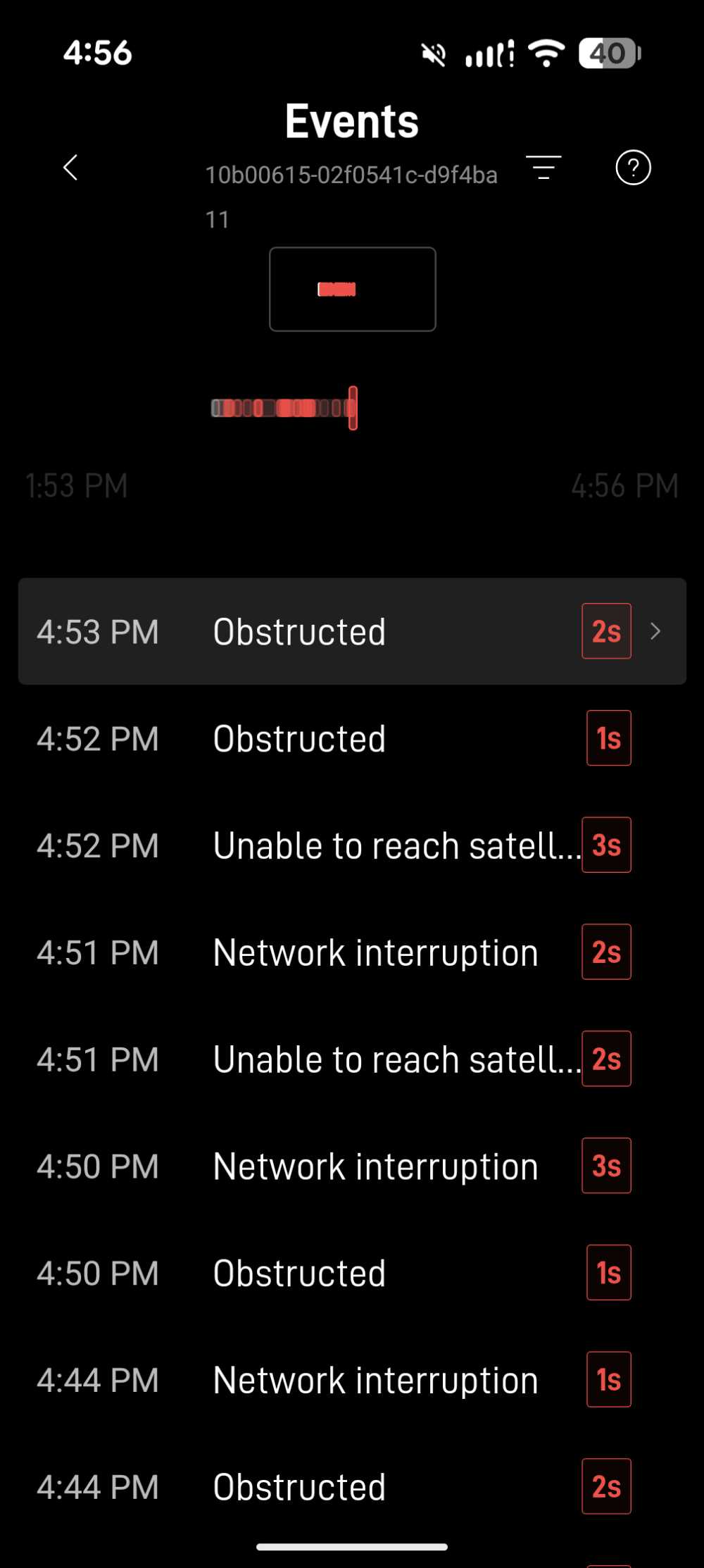
Looking at the events list, you can see the interruptions were fairly frequent but very short—mostly between one and three seconds each. The causes were a mix of obstructions (trees, buildings) and brief moments where the dish couldn’t reach a satellite. Annoying for real-time communication, but barely noticeable for everything else.
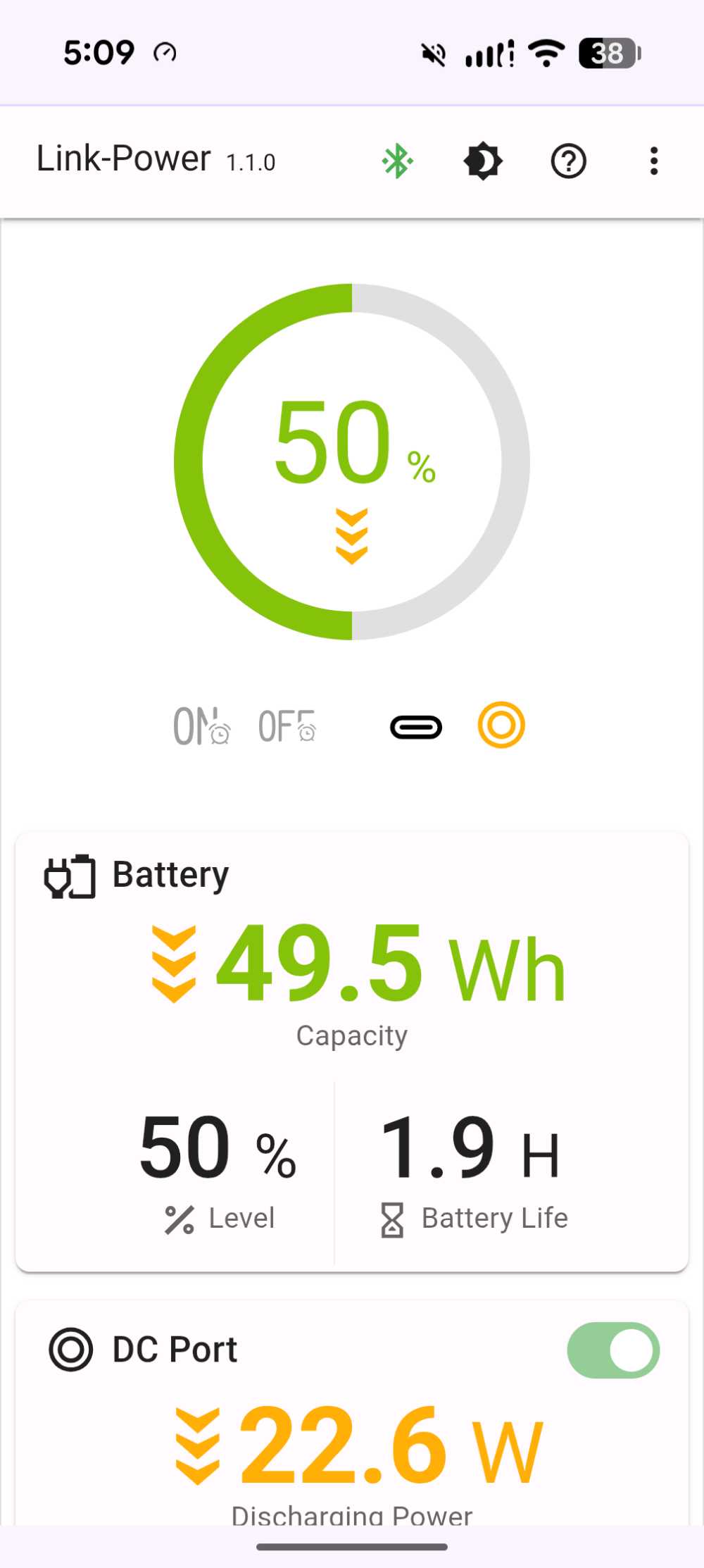
At the end of my walk, about an hour and fifteen minutes after I started, the Peakdo battery was down to 50%. Simple math suggests it would have lasted around four hours total, but I think the real number is higher than that. The Starlink draws more power when it’s searching for a connection and can’t find one, which was the case for a good chunk of my walk through the tree-lined neighborhood streets. With a steadier connection, I’ve been getting about five hours of use out of the Peakdo battery.
So, does hiking with a Starlink on your back actually work? Sort of. Walking through a neighborhood with trees overhead—not really. But if you’re heading somewhere with a decent view of the sky, it works surprisingly well, even with the dish at the wrong angle and half-covered by a backpack. I wouldn’t rely on it for a video call, but for keeping connected while you’re out and about, it’s more capable than I expected.
If you are heading out to the Cascades and want to test this setup, you can rent a Starlink in Seattle directly from us.
I’ve been running some other tests on the Peakdo battery and so far I really like it. It’s more expensive than using an battery pack like the INIU I’ve reviewed here, but it’s definitely a better design. I’ll have a full review coming soon.
On the picture looking down from above, it seems as though the dish may be slanted down, not vertical.